The Secure Browser for High-Stakes Testing: Beyond Legacy Lockdown Tools
Aiseptor Secure Browser (beta) pairs window lockdown with network-layer enforcement to catch invisible AI overlays and on-device LLMs that legacy lockdown browsers can't see.


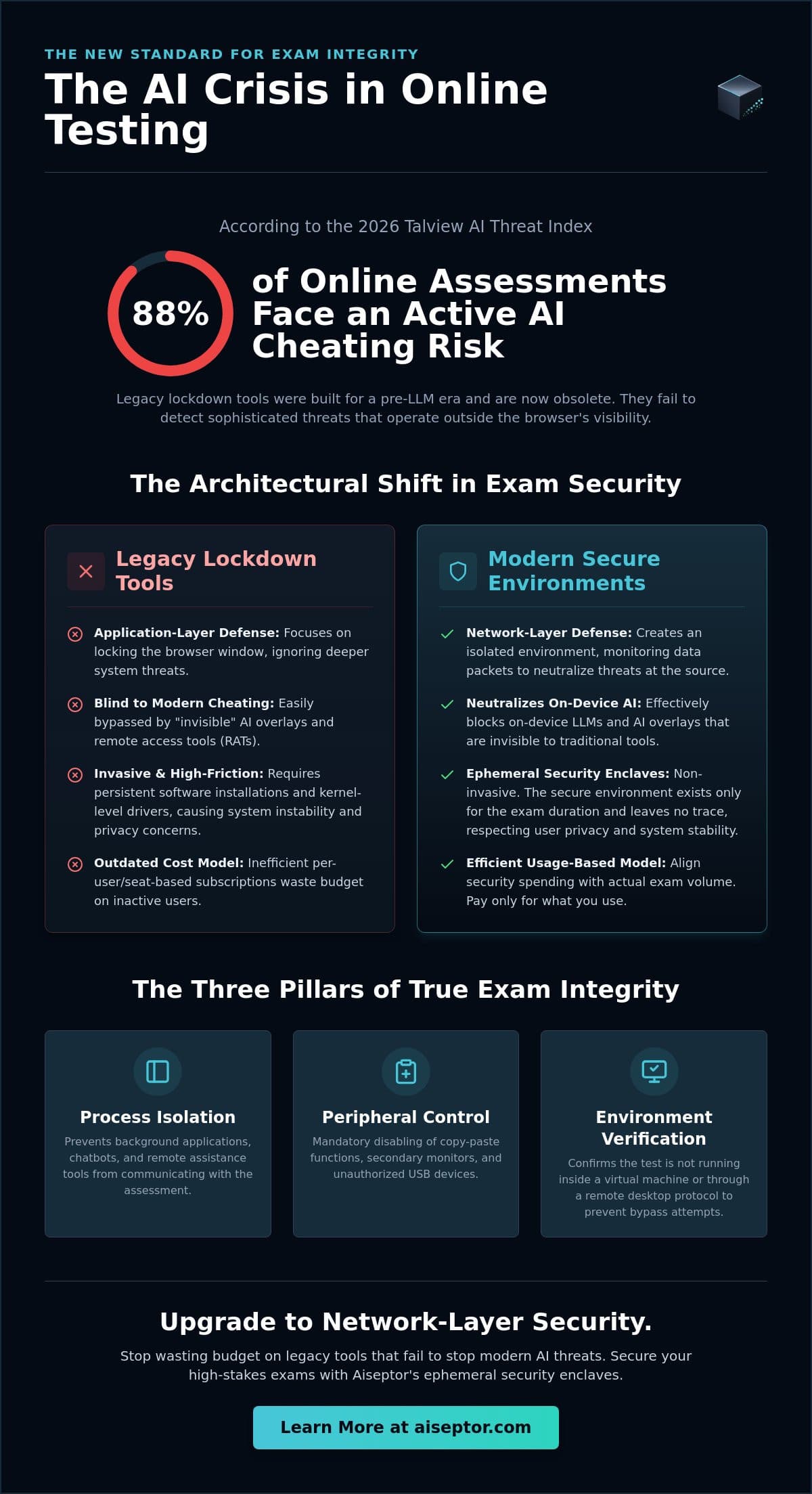
88% of online assessments now carry an active AI cheating risk, according to Talview's 2026 AI Threat Index. Most of that risk is invisible to the tool institutions already pay for. A lockdown browser can stop a candidate from opening a new tab. It cannot see a transparent overlay rendering answers on top of the exam window, because that overlay is a separate process that never touches the browser at all.
This is the gap the current generation of "secure browser" products was not built to close. Here is what a secure browser for high-stakes testing needs to do in 2026, why the old lockdown model stops short of it, and how the Aiseptor Secure Browser (beta) closes the remaining layer.
Key Takeaways
- Lockdown browsers control one browser window. Invisible AI overlays and on-device LLMs run as separate OS-layer processes that a browser-only tool cannot see by architecture, not by oversight.
- The reliable signals live at the OS and network layer: the screen-capture-exclusion flag an overlay must set to stay invisible (
WDA_EXCLUDEFROMCAPTUREon Windows), GPU memory deltas consistent with a loaded local model, and the DNS/SNI requests any cloud-based overlay has to make to reach its AI backend. - Aiseptor Secure Browser (beta) pairs window lockdown with that OS- and network-layer enforcement, without a kernel driver and without a webcam.
- The enclave is ephemeral: it deploys in about 30 seconds and removes itself completely when the session ends.
What a Secure Browser Needs to Do in 2026
A lockdown browser's job was defined a decade ago: block new tabs, disable copy-paste, prevent navigation away from the exam. Against a candidate Googling an answer in a second tab, that still works. Against the tools candidates use now, it doesn't, because the newer tools don't live inside the browser at all.
Invisible AI Overlays
An invisible AI overlay like Cluely renders a transparent layer above the candidate's active window and marks that layer excluded from screen-capture APIs. It is invisible to Zoom, Teams, and any screen-recording proctoring tool for the same reason it's invisible to a lockdown browser: the exclusion flag hides it from anything reading the frame buffer, not just the browser process. A lockdown browser was never going to see something that doesn't appear in a screen capture, because a screen capture is exactly what a lockdown browser's monitoring is built on.
On-Device LLMs
The same architectural gap applies to a language model running locally on the candidate's machine (Ollama, LM Studio, or a custom inference binary). It generates no outbound network traffic to a known AI provider, so anything that only watches for external API calls sees nothing. Catching it requires OS-level signals: active inference processes, GPU VRAM deltas consistent with a loaded model, and model files present on disk. None of that is visible from inside a browser sandbox.
Why Network-Layer Enforcement Closes the Gap
Aiseptor doesn't try to identify these tools by process name. Every open-source fork of Cluely (OpenCluely, Pluely, Natively) can be recompiled under a different binary name in under an hour, which makes name-based detection a losing race by design. Instead, Aiseptor targets the parts of the technique that don't change when the name does:
- The
WDA_EXCLUDEFROMCAPTURE-style exclusion flag every hiding overlay has to set to stay invisible to screen capture. - GPU VRAM deltas consistent with a locally loaded language model.
- DNS and SNI requests to known AI inference endpoints, blocked under a default-deny network policy so a cloud-based overlay never receives an answer even if it evades every other check.
This is why the fix isn't "a better lockdown browser." It's enforcement at a layer the lockdown-browser category was never designed to reach.
Aiseptor Secure Browser (beta)
Aiseptor Secure Browser is a lockdown browser for macOS and Windows, in beta, backed by the same OS- and network-layer enforcement Aiseptor uses everywhere else on the platform. It locks the exam window the way any lockdown browser does, then closes the layer underneath it that invisible overlays and on-device LLMs actually run on.
The enclave is session-scoped: it deploys in about 30 seconds, requires no kernel driver, and removes itself completely when the exam ends, with no persistent files or background services left behind. Aiseptor collects network-access signals and device-activity metadata during the session, not webcam, microphone, or keystroke data, with a default 24-hour retention window. Aiseptor is GDPR- and CCPA-compliant by design, and is currently undergoing a SOC 2 Type II audit, targeted for completion in Q3 2026.
Integration is a REST API call from an existing assessment platform, LMS, or ATS, with a signed webhook carrying the integrity verdict at session end. Pricing is usage-based and billed per session; the first 5 sessions are free.
How It Fits With What You Already Have
Aiseptor Secure Browser is a complement to identity verification and behavioral proctoring, not a replacement for them. Webcam-based tools remain the right layer for physical-room anomalies and identity checks. Aiseptor closes the layer those tools were never built to see: the device and network surface where invisible overlays and on-device LLMs actually run. See how the enforcement works for the full architecture, or request free access to try it against your own assessment.
Frequently Asked Questions
Is a secure browser different from a lockdown browser?
The terms are often used interchangeably. A traditional lockdown browser (Respondus, Safe Exam Browser) restricts the application window: tabs, copy-paste, navigation. Aiseptor Secure Browser does the same window-level lockdown, then adds OS- and network-layer enforcement underneath it, which is the part a name change alone doesn't fix.
Can a secure browser detect Cluely or an AI overlay?
Aiseptor detects the technique an invisible overlay has to use to stay hidden (the screen-capture-exclusion flag), not the process name, so it catches renamed builds and unseen forks the same way it catches the original.
Does Aiseptor Secure Browser require a kernel driver?
No. It runs in user space without kernel-level hooks, and removes itself entirely when the session ends.
Is Aiseptor Secure Browser available for both Mac and Windows?
Yes, it's in beta for both macOS and Windows.
How is it priced?
Usage-based, billed per session. The first 5 sessions are free with no credit card required.
Does it replace our existing proctoring vendor?
No. It's designed to run alongside identity verification and behavioral proctoring, covering the device and network layer those tools don't reach.
Frequently Asked Questions
Is a secure browser different from a lockdown browser?
The terms are often used interchangeably. A traditional lockdown browser (Respondus, Safe Exam Browser) restricts the application window: tabs, copy-paste, navigation. Aiseptor Secure Browser does the same window-level lockdown, then adds OS- and network-layer enforcement underneath it, which is the part a name change alone doesn't fix.
Can a secure browser detect Cluely or an AI overlay?
Aiseptor detects the technique an invisible overlay has to use to stay hidden (the screen-capture-exclusion flag), not the process name, so it catches renamed builds and unseen forks the same way it catches the original.
Does Aiseptor Secure Browser require a kernel driver?
No. It runs in user space without kernel-level hooks, and removes itself entirely when the session ends.
Is Aiseptor Secure Browser available for both Mac and Windows?
Yes, it's in beta for both macOS and Windows.
How is it priced?
Usage-based, billed per session. The first 5 sessions are free with no credit card required.
Does it replace our existing proctoring vendor?
No. It's designed to run alongside identity verification and behavioral proctoring, covering the device and network layer those tools don't reach.